

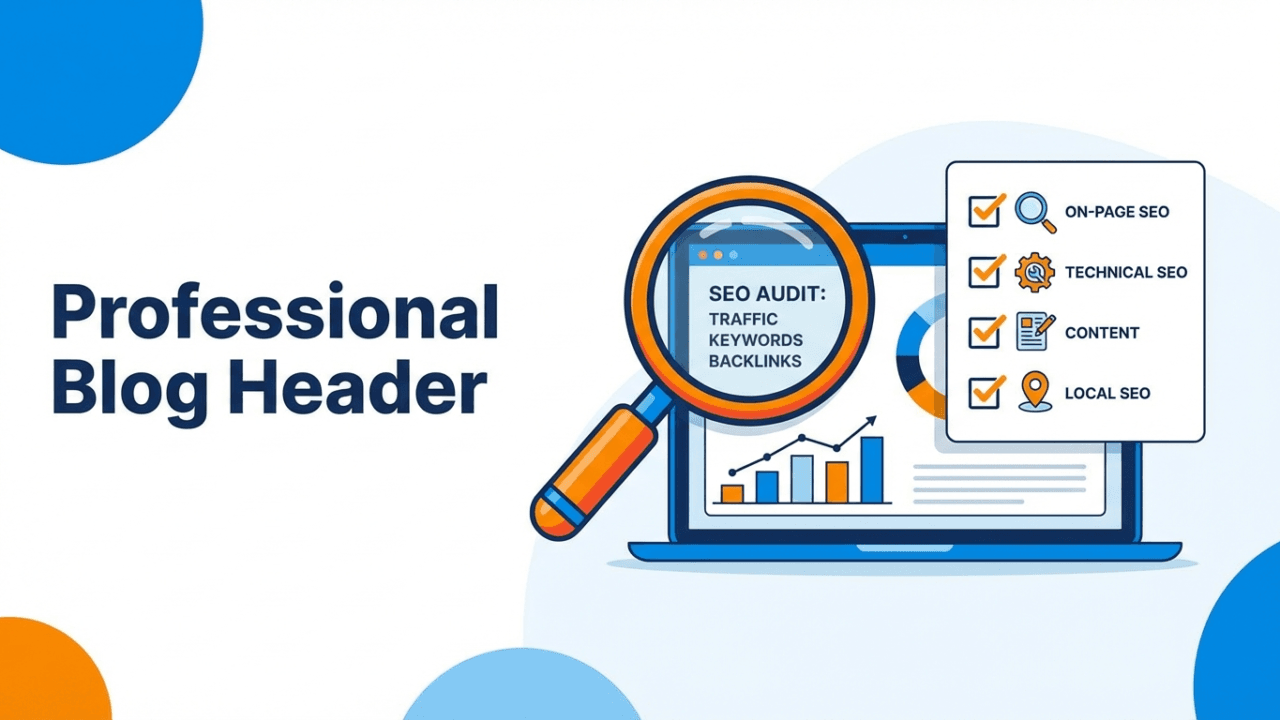
Why Every Small Business Needs an SEO Audit
If your small business website isn’t showing up on Google, you’re leaving money on the table. An SEO audit is the first step to understanding why — and fixing it.
Think of an SEO audit like a health checkup for your website. It reveals what’s working, what’s broken, and what opportunities you’re missing. I’ve audited hundreds of small business websites, and the same issues come up again and again: slow page speeds, missing meta tags, broken links, and content that doesn’t match what customers are actually searching for.
The good news? Most of these fixes are straightforward. This guide walks you through a complete SEO audit you can do yourself, even if you’re not a technical expert.
Step 1: Crawl Your Website
Before you can fix anything, you need to see everything. A site crawl gives you a complete picture of every page, link, image, and potential issue on your site.
Free Tools to Use
- Google Search Console — Free and essential. Shows how Google sees your site, including indexing issues, crawl errors, and search performance.
- Screaming Frog SEO Spider — Free for up to 500 URLs. Crawls your entire site and flags broken links, duplicate content, missing tags, and more.
- Ahrefs Webmaster Tools — Free site audit with detailed health scores.
What to look for:
- Pages returning 404 errors
- Redirect chains (A → B → C instead of A → C)
- Pages blocked by robots.txt that shouldn’t be
- Orphan pages with no internal links pointing to them
Step 2: Check Your Technical SEO Foundation
Technical SEO is the infrastructure that lets search engines find, crawl, and index your pages. If the foundation is broken, nothing else matters.
Site Speed
Google uses page speed as a ranking factor. Test yours with PageSpeed Insights.
Common speed killers for small business sites:
- Unoptimized images (often the #1 issue — compress with TinyPNG or ShortPixel)
- Too many plugins (WordPress sites: aim for under 20 active plugins)
- No caching plugin installed (use WP Super Cache or LiteSpeed Cache)
- Cheap hosting with slow server response times
Mobile-Friendliness
Over 60% of searches happen on mobile. If your site isn’t mobile-responsive, you’re invisible to most of your potential customers. Google’s Mobile-Friendly Test will tell you exactly where you stand.
SSL Certificate (HTTPS)
If your URL starts with http:// instead of https://, fix this immediately. It’s a ranking signal and a trust signal. Most hosting providers offer free SSL through Let’s Encrypt.
XML Sitemap
Check that your sitemap exists at yoursite.com/sitemap.xml and is submitted to Google Search Console. If you’re on WordPress, Yoast SEO or Rank Math generates this automatically.
Step 3: Audit Your On-Page SEO
On-page SEO is about making sure each page clearly communicates its topic to both search engines and visitors.
Title Tags
Every page needs a unique, descriptive title tag under 60 characters that includes your target keyword.
Bad: “Home | Joe’s Plumbing”
Good: “Emergency Plumber in Austin, TX — Joe’s Plumbing | 24/7 Service”
Meta Descriptions
While not a direct ranking factor, meta descriptions affect click-through rates. Write compelling descriptions under 160 characters that include your keyword and a call to action.
Header Tags (H1, H2, H3)
- Every page should have exactly one H1 that includes the primary keyword
- Use H2s and H3s to organize content logically
- Don’t skip levels (H1 → H3 without an H2)
Image Alt Text
Every image should have descriptive alt text. This helps Google understand your images and improves accessibility. Don’t stuff keywords — describe the image naturally.
Step 4: Analyze Your Content
Content is where most small business websites fall short. Here’s what to check:
Thin Content
Pages with fewer than 300 words rarely rank well. Identify thin pages and either expand them with valuable content or consolidate them with related pages.
Duplicate Content
Check for pages with identical or near-identical content. This confuses search engines about which page to rank. Common culprits:
- HTTP and HTTPS versions of the same page both accessible
- www and non-www versions not redirecting
- Printer-friendly page versions
- Location pages with only the city name changed
Keyword Targeting
For each important page, ask:
- What keyword is this page targeting?
- Is that keyword in the title, H1, and first paragraph?
- Does the content actually answer what someone searching that keyword wants to know?
Step 5: Review Your Local SEO (Critical for Small Businesses)
If you serve a local area, local SEO can be your biggest competitive advantage.
Google Business Profile
- Is your profile claimed and verified?
- Is your NAP (Name, Address, Phone) consistent with your website?
- Are your business hours, categories, and services accurate?
- Do you have recent photos and posts?
- Are you responding to reviews?
Local Citations
Your business info should be consistent across directories: Yelp, Yellow Pages, BBB, industry-specific directories. Inconsistent NAP data confuses Google and hurts local rankings.
Local Keywords
Make sure your service and location pages target “[service] in [city]” patterns. Create separate pages for each service area if you serve multiple locations.
Step 6: Check Your Backlink Profile
Backlinks are votes of confidence from other websites. Quality matters far more than quantity.
Free tools to check backlinks:
- Google Search Console → Links report
- Ahrefs Webmaster Tools (free)
- Ubersuggest (limited free checks)
What to look for:
- Toxic links: Links from spammy, irrelevant, or low-quality sites. Disavow these if necessary.
- Lost links: Valuable backlinks that disappeared. Reach out to get them restored.
- Competitor gaps: Sites linking to competitors but not you — these are outreach opportunities.
Step 7: Create Your SEO Action Plan
An audit without action is just a report gathering dust. Prioritize your fixes:
Fix Immediately (This Week)
- Broken links and 404 errors
- Missing or duplicate title tags
- SSL issues
- Google Search Console errors
Fix Soon (This Month)
- Page speed improvements (image compression, caching)
- Missing meta descriptions
- Thin content pages
- Google Business Profile optimization
Ongoing Improvements
- Content creation targeting priority keywords
- Backlink building through outreach and partnerships
- Regular monitoring in Google Search Console
- Monthly mini-audits to catch new issues early
SEO Audit Checklist (Quick Reference)
Use this checklist to track your progress:
- ☐ Site crawled with Screaming Frog or similar tool
- ☐ Google Search Console set up and verified
- ☐ Page speed tested and optimized (target: under 3 seconds)
- ☐ Mobile-friendly test passed
- ☐ SSL certificate active (HTTPS)
- ☐ XML sitemap submitted
- ☐ All pages have unique title tags with keywords
- ☐ All pages have meta descriptions
- ☐ Proper heading hierarchy (H1 → H2 → H3)
- ☐ All images have alt text
- ☐ No thin or duplicate content
- ☐ Google Business Profile optimized
- ☐ NAP consistent across all directories
- ☐ Backlink profile reviewed
- ☐ Action plan created and prioritized
The Bottom Line
An SEO audit isn’t a one-time task — it’s a recurring practice. I recommend a full audit quarterly and quick checks monthly. The small businesses that consistently monitor and improve their SEO are the ones that dominate local search results.
Start with the basics: fix the technical issues, optimize your content, and claim your local presence. You don’t need a massive budget or an agency — just a systematic approach and consistent effort.
Need help with your audit? Get in touch — I’ve helped businesses go from zero organic traffic to page-one rankings with exactly this process.