

Every small business owner wants more organic traffic, but most skip the one step that actually reveals what’s holding them back: how to do an SEO audit for small business website performance. An SEO audit is the diagnostic scan that uncovers broken links, slow pages, missing meta tags, and dozens of other issues silently killing your rankings.
I’ve audited over 200 small business websites across industries — from local plumbers to boutique e-commerce stores — and the same patterns keep showing up. This guide walks you through the exact process I use, with specific tools and actionable fixes at every step.
Why Every Small Business Needs an SEO Audit
Think of an SEO audit like a health checkup for your website. Without one, you’re guessing at what’s wrong. With one, you get a prioritized list of exactly what to fix and the expected impact of each change.
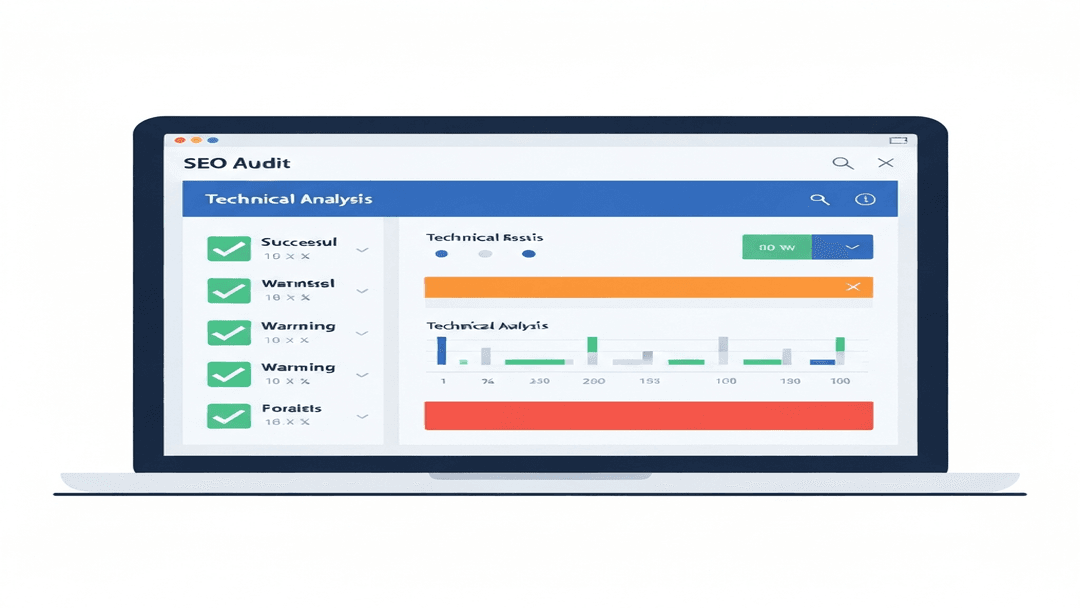
Here’s what a proper audit typically uncovers:
- Technical errors blocking Google from crawling your pages (broken links, redirect chains, missing sitemaps)
- On-page gaps where title tags, meta descriptions, or headings aren’t optimized for target keywords
- Content issues like thin pages, duplicate content, or missing internal links
- Speed problems causing visitors to bounce before the page even loads
- Local SEO gaps in your Google Business Profile and citation consistency
A 2025 Semrush study found that 68% of small business websites have critical SEO errors that suppress their organic visibility. The good news: most of these are straightforward fixes once you identify them.
How to Do an SEO Audit for Small Business Website: Step-by-Step
Step 1: Crawl Your Website
Start with a full site crawl using Screaming Frog SEO Spider (free for up to 500 URLs) or Sitebulb. This reveals the structural reality of your site — every page, link, image, and redirect.
What to look for in crawl results:
- Pages returning 404 errors (fix with redirects or updated links)
- Redirect chains longer than 2 hops (consolidate to direct redirects)
- Pages with missing or duplicate title tags
- Images without alt text
- Orphan pages with no internal links pointing to them
Step 2: Check Google Search Console
Google Search Console is your direct line to how Google sees your site. Navigate to the Coverage report and look for:
- Errors: Pages Google tried to index but couldn’t (server errors, redirect issues)
- Excluded pages: Content Google chose not to index (often duplicate or thin content)
- Valid with warnings: Pages indexed but with potential issues
Then check the Core Web Vitals report. Google uses these metrics — Largest Contentful Paint (LCP), Interaction to Next Paint (INP), and Cumulative Layout Shift (CLS) — as ranking signals. If your pages show “Poor” or “Needs Improvement,” fixing them directly impacts your rankings.
Step 3: Analyze Page Speed
Run your homepage and top landing pages through Google PageSpeed Insights. Aim for a mobile score above 70 and desktop above 85.
Common speed killers for small business sites:
- Unoptimized images: Use WebP format and compress with ShortPixel or Imagify
- Too many plugins: WordPress sites averaging 30+ plugins see 2-3 second load delays
- No caching: Install WP Rocket or LiteSpeed Cache for instant improvements
- Render-blocking resources: Defer non-critical JavaScript and CSS
Step 4: Audit On-Page SEO Elements
For each of your top 20 pages (by traffic or business value), check:
- Title tags: Unique, under 60 characters, includes target keyword
- Meta descriptions: Compelling, under 155 characters, includes keyword variation
- H1 tags: One per page, matches the page topic
- Header hierarchy: Logical H2 → H3 structure (no skipping levels)
- Internal links: Each page should link to 3-5 relevant pages on your site
- Image alt text: Descriptive, includes keywords where natural
Tools like Ahrefs Site Audit or Semrush On-Page SEO Checker automate much of this analysis and provide specific recommendations per page.
Step 5: Review Content Quality
Google’s Helpful Content guidelines make content quality a direct ranking factor. Audit each page for:
- Thin content: Pages under 300 words rarely rank for competitive terms
- Duplicate content: Use Siteliner.com to find pages with overlapping text
- Outdated information: Statistics from 2022 or earlier hurt credibility and freshness signals
- Missing E-E-A-T signals: Author bios, credentials, first-hand experience, citations
Step 6: Audit Local SEO (If Applicable)
For service-area businesses, local SEO often drives more revenue than organic. Check:
- Google Business Profile: Complete all fields, add photos monthly, respond to reviews
- NAP consistency: Your business Name, Address, and Phone must match exactly across all directories
- Local citations: Verify listings on Yelp, BBB, industry directories using BrightLocal or Whitespark
- Review signals: Aim for 50+ Google reviews with a 4.5+ average rating
Free SEO Audit Tools Every Small Business Should Use
You don’t need enterprise software to run an effective audit. Here’s my recommended stack:
- Screaming Frog SEO Spider (free up to 500 URLs) — technical crawling
- Google Search Console (free) — indexing, performance, Core Web Vitals
- Google PageSpeed Insights (free) — page speed analysis
- Ubersuggest (free tier) — keyword tracking and basic site audit
- Ahrefs Webmaster Tools (free) — backlink and health monitoring
For deeper analysis, Semrush ($139/mo) and Ahrefs ($129/mo) provide comprehensive audit suites worth the investment once you’re ready to scale.
Prioritizing Your Audit Findings
After completing your audit, you’ll likely have dozens of issues. Don’t try to fix everything at once. Prioritize by impact:
- Critical (fix this week): Broken pages, crawl errors, missing robots.txt/sitemap, security issues
- High (fix this month): Page speed problems, missing title tags, thin content on key pages
- Medium (fix in 60 days): Image optimization, internal linking gaps, schema markup
- Low (ongoing): Content updates, new blog posts, review acquisition
Frequently Asked Questions
How often should a small business run an SEO audit?
Run a comprehensive audit every 6 months and a quick technical check monthly. If you’ve made major site changes (redesign, migration, new pages), run an immediate audit afterward. Google’s algorithms update regularly, so what worked 6 months ago may need adjustment.
Can I do an SEO audit myself or should I hire a professional?
Most small business owners can handle the basics using free tools like Screaming Frog and Google Search Console. However, if your site has complex technical issues (JavaScript rendering, international SEO, large e-commerce catalogs), hiring an SEO consultant saves time and prevents costly mistakes. A professional audit typically costs $500-$2,500 depending on site size.
How long does it take to see results after fixing SEO audit issues?
Technical fixes (page speed, broken links, crawl errors) often show improvement within 2-4 weeks as Google recrawls your site. Content improvements take longer — typically 2-3 months for new or updated pages to reach their ranking potential. Local SEO changes can impact visibility within 1-2 weeks for Google Business Profile updates.
Start Your SEO Audit Today
An SEO audit isn’t a one-time project — it’s the foundation of every successful organic growth strategy. The businesses that audit regularly and fix systematically are the ones that consistently climb the rankings while competitors wonder why they’re stuck.
Start with the crawl. Follow the steps above. Fix the critical issues first. Then build from there.
Need help running a professional SEO audit for your business? Get in touch — I’ll identify the quick wins that drive the biggest impact for your specific situation.
Learn more about my digital marketing and SEO consulting services.